

How do I create a new page?
In the "Pagina's" overview, click "Pagina Toevoegen".
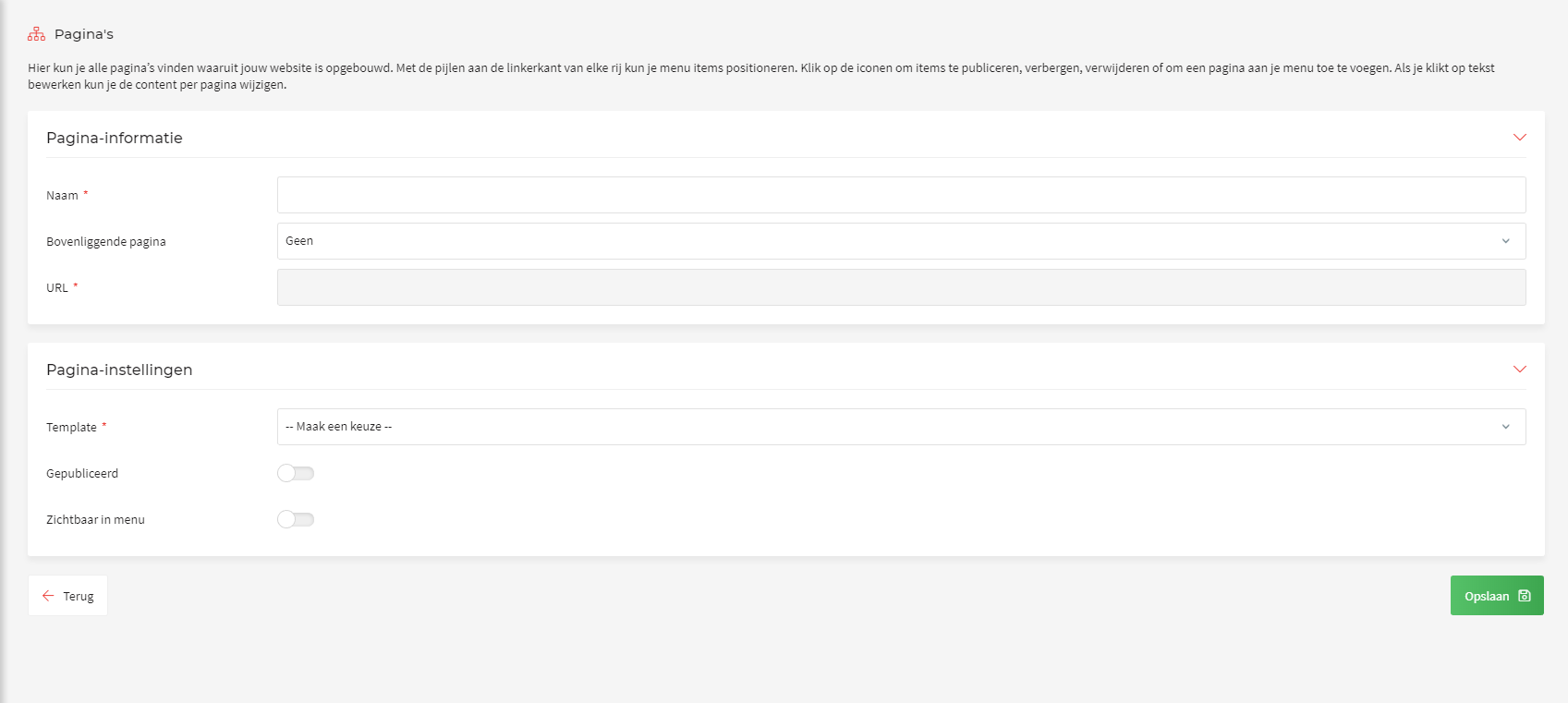
The screen now offers several options:
| Pagina-informatie | |
| Naam: | This is the name of the page. It also appears in the overview. |
| Bovenliggende pagina: | Decide here which page the new page sits under (only for subpages). |
| URL: | The URL is created automatically from the name you chose. |
| Pagina-instellingen | |
| Template: | This template determines the page layout. |
| Gepubliceerd: | This slider sets whether the page can be visited/is online. |
| Zichtbaar in menu | This slider sets whether the page is visible in the menu on the website. |
Once you have created the page you will of course want to give it some content. You do that with the editor. Read here how to do that.