

How do I create a news item?
Before you can compose a newsletter, news articles have to be created as well. You create those news articles in the same module as the newsletter.
- In the GoFlo menu, go to the "Nieuwsbrief" module and click the "Nieuwsbrief artikel" section.
- You now see an overview of all news items created earlier.
- Clicking the "Item toevoegen" button lets you create a new news article.
- Fill in the details.
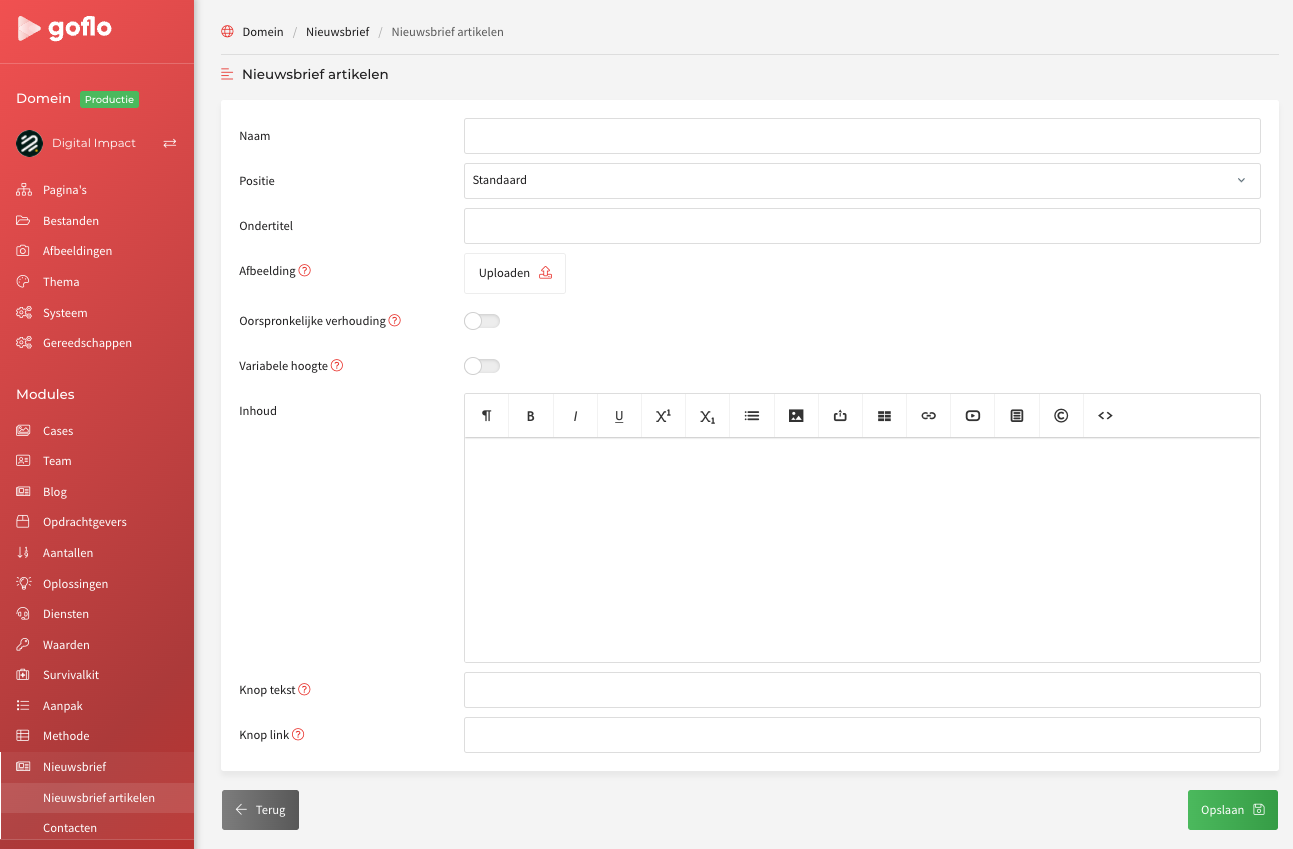
| Naam | The title of the article |
| Ondertitel | Add a subtitle next to the name/title of the article |
| Afbeelding | Select or upload an image |
| Inhoud | This is where you write the article |
| Knoptekst | By default this is "Lees meer"; change the text of that button here |
| Knoplink | Enter the link/URL behind the "Lees meer" button here |